
Snippet: never-share.mdx
Create a new app
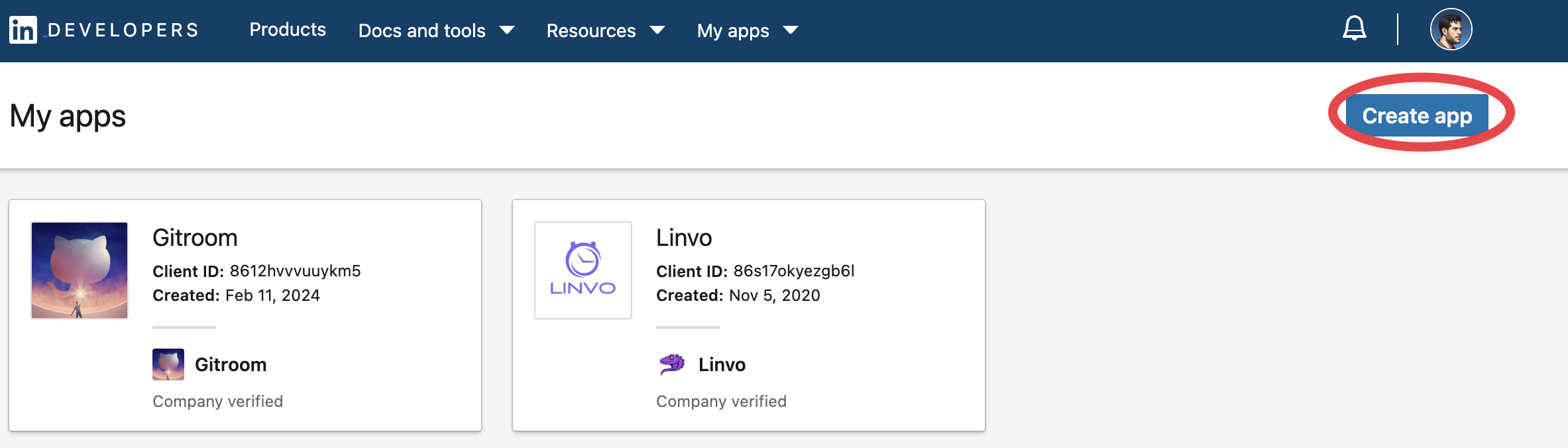
Head over to LinkedIn developers and create a new app.
Verify your app
Verify your app with LinkedIn
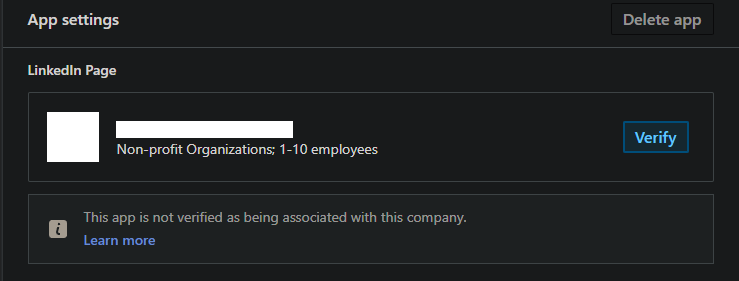
You will need to follow the verification process to request the necessary permissions listed below.
Add required products
Fill in all the details, once created head over to Products and make sure you add all the required products:
- Share on LinkedIn
- Advertising API
- Sign in with LinkedIn using OpenID connect
Warning: It is important to request the Advertising API permissions and fill up the request form, or you will not have the ability to refresh your tokens.
Configure OAuth2 Redirect URI
Snippet: oauth2redirect.mdx
Your LinkedIn Page OAuth2 Redirect URI:
- Production:
https://your-postiz-domain.com/integrations/social/linkedin-page - Local development:
http://localhost:4200/integrations/social/linkedin-page - Docker:
http://localhost:5000/integrations/social/linkedin-page
Copy your credentials
Copy the created
Client IDClient Secret.envLINKEDIN_CLIENT_ID="" LINKEDIN_CLIENT_SECRET=""
You can find those under the Auth Tab of your LinkedIn App in the developer portal.