
To connect your Instagram account to Agent Elephant, you need to set up a developer application within the Meta (Facebook) developer portal to generate an App ID and an App Secret.
This guide walks you through the exact steps needed in Meta's latest developer dashboard layout.
Setting up Meta Application
Both Instagram Professional accounts and Creator accounts require a Meta Developer App to allow third-party posting.
1. Create a New App
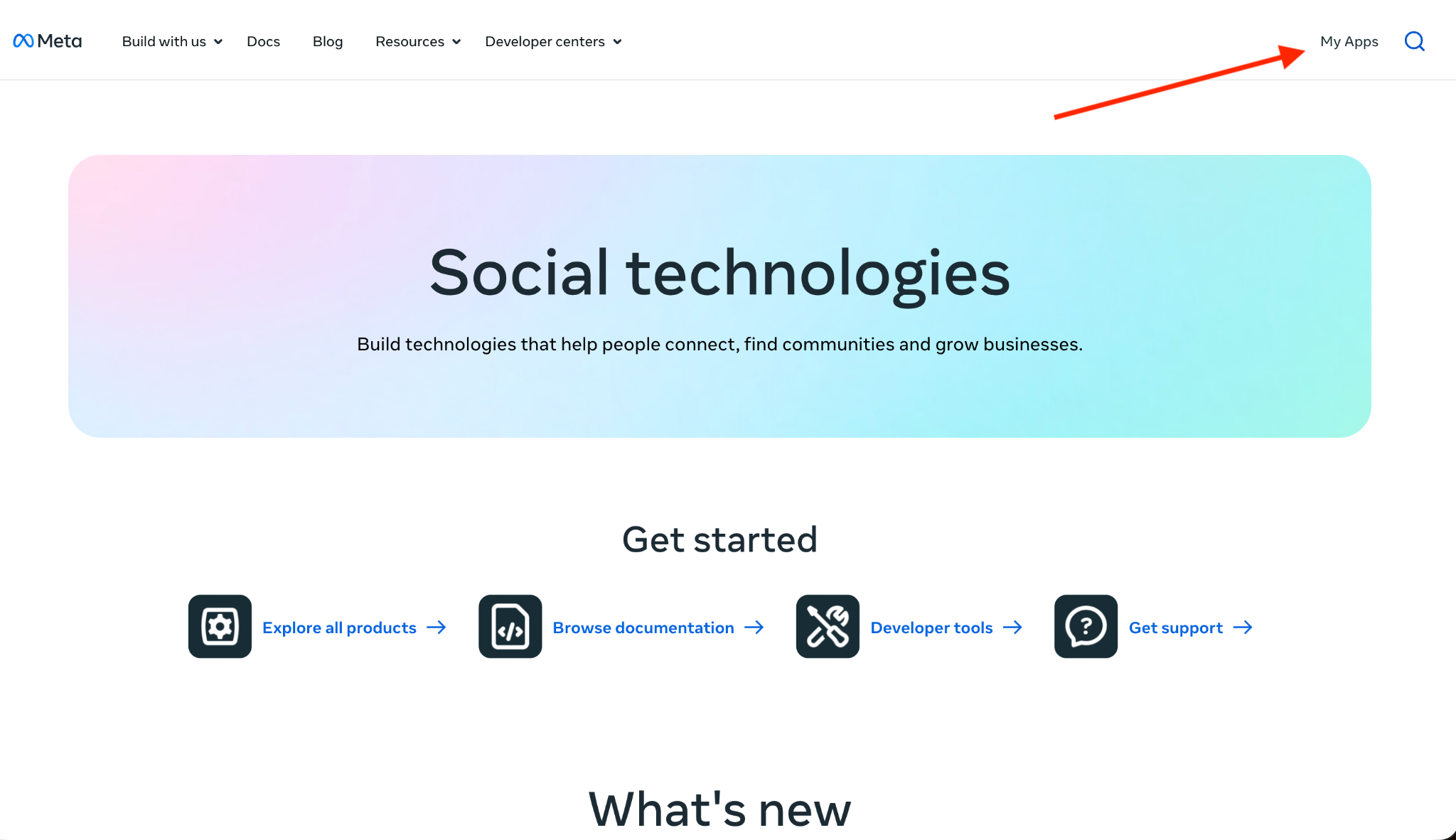
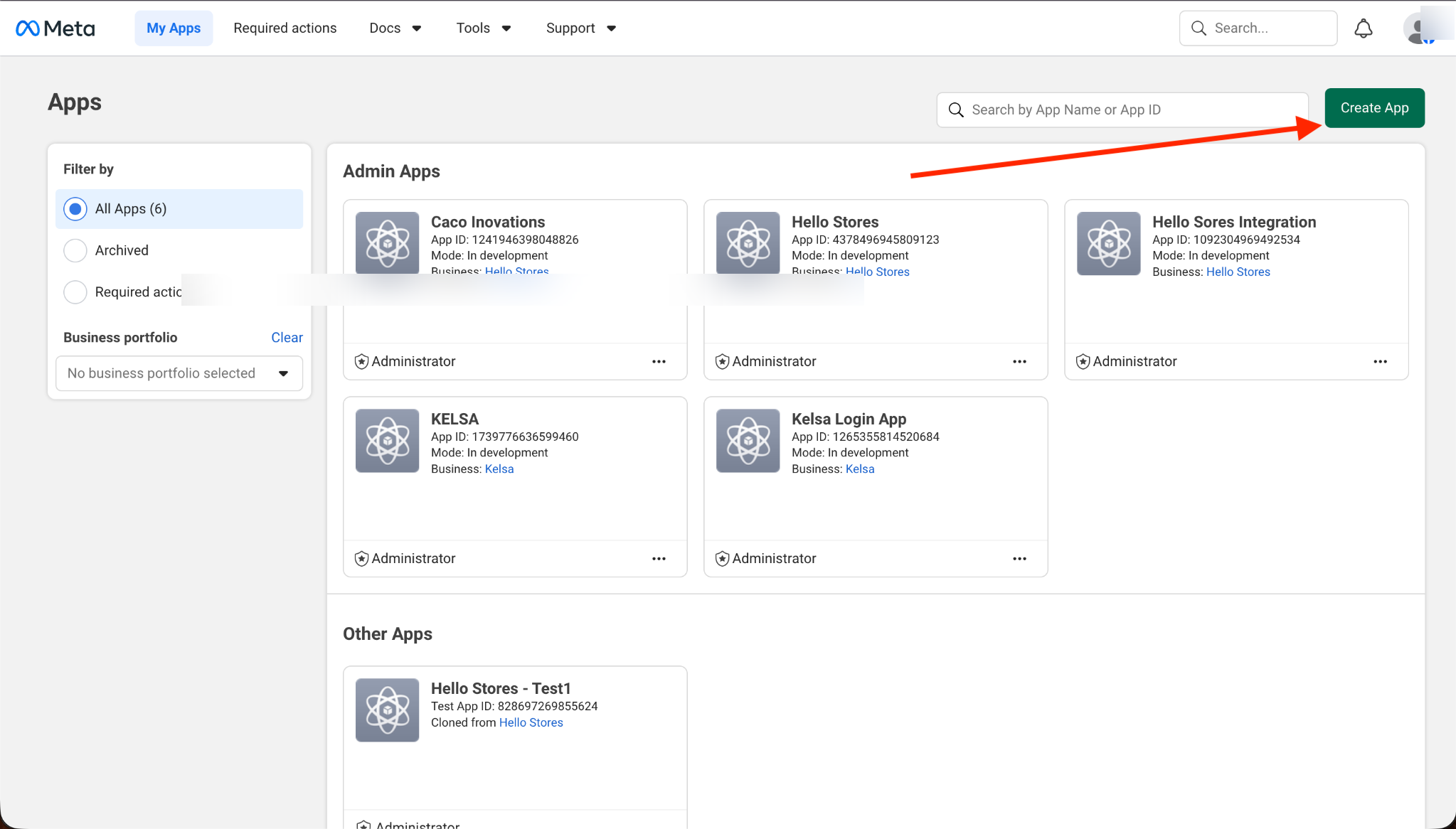
Head to the Meta for Developers portal and click the green Create App button in the top right.
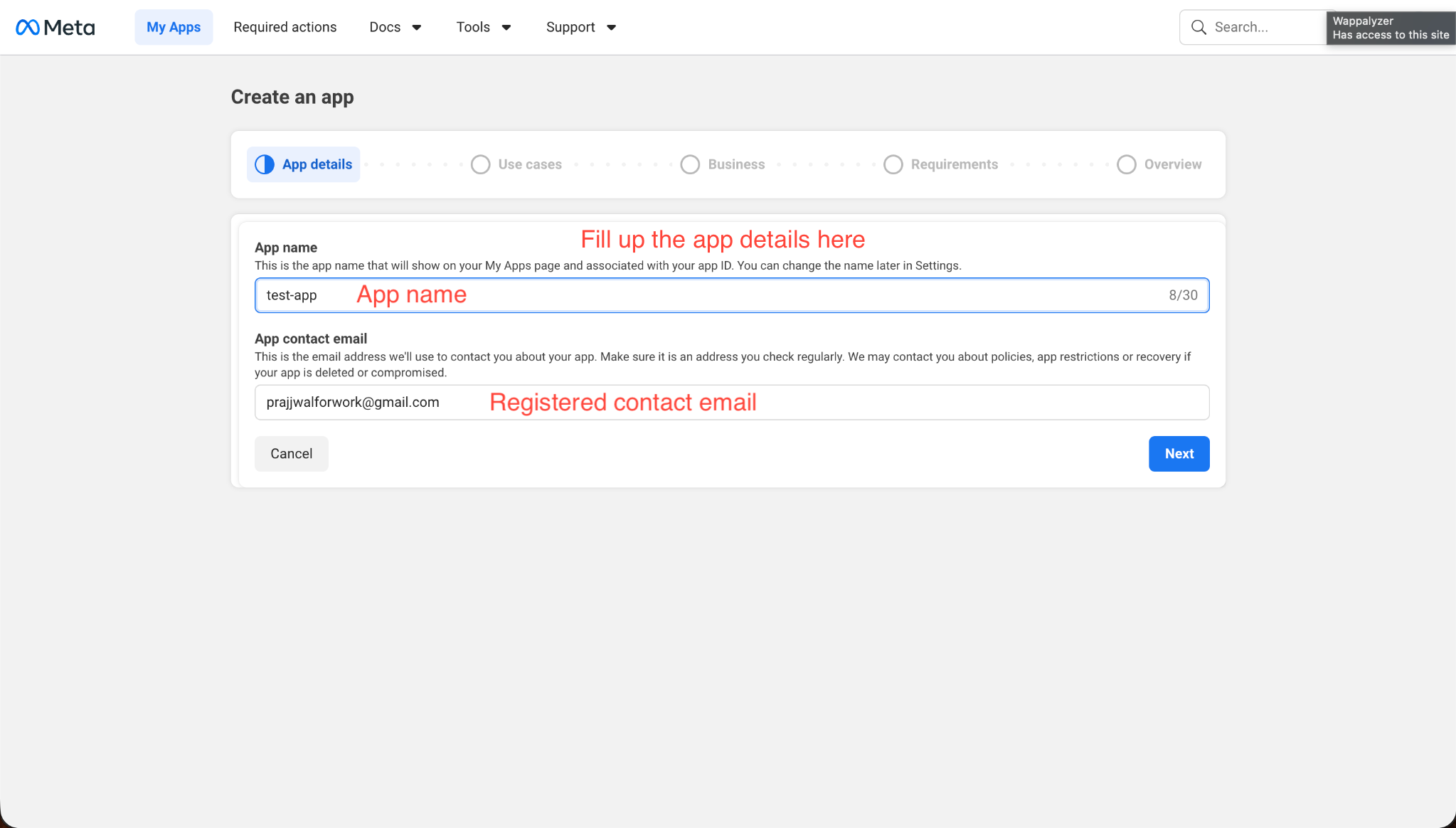
Also enter your app name and contact email:
2. Select Use Case
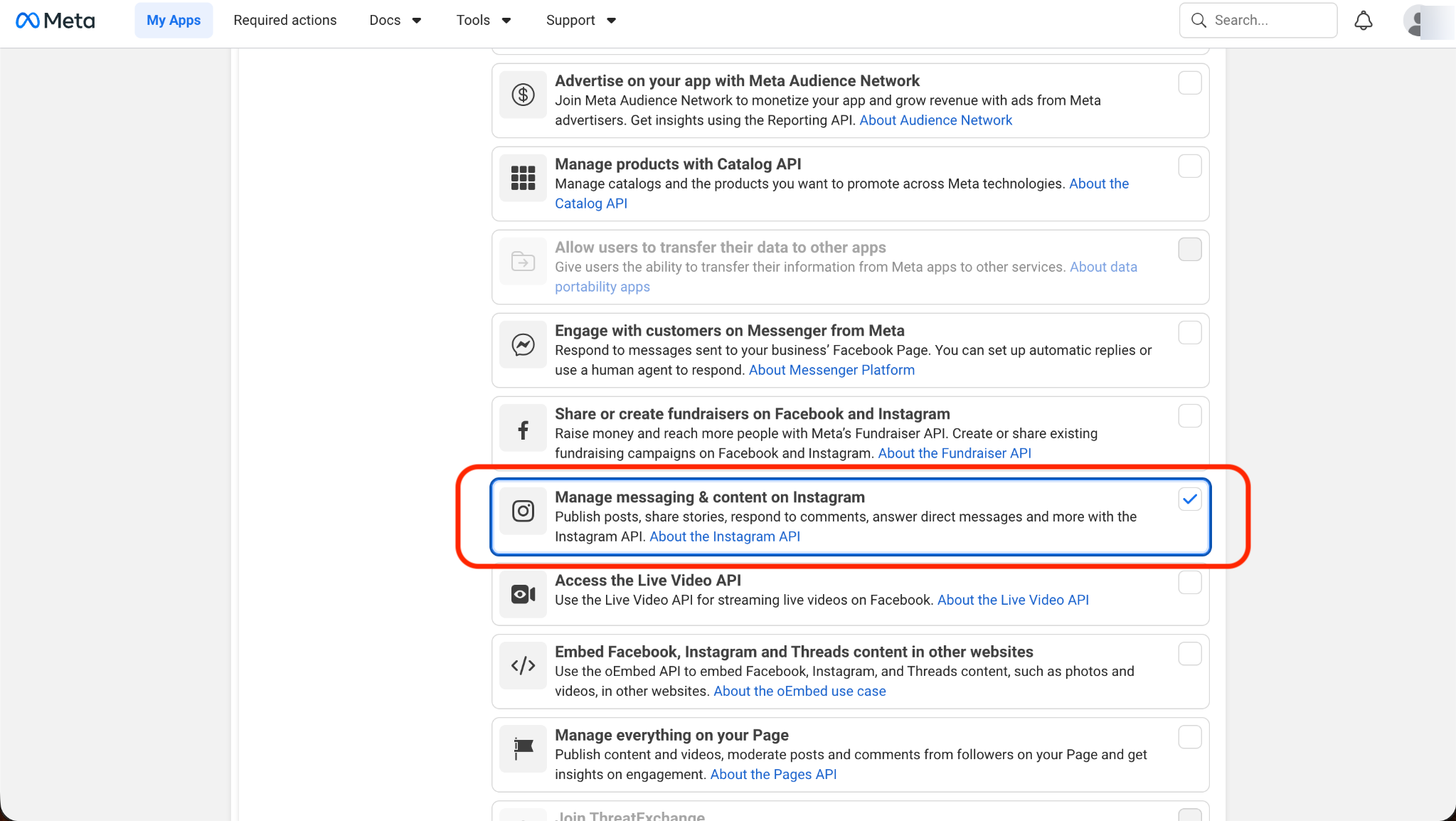
Meta offers many app templates. To secure the correct posting permissions:
- Under the Filter by menu on the left side, select All (19).
- Scroll through the list and select Manage messaging & content on Instagram.
- Click the blue Next button.
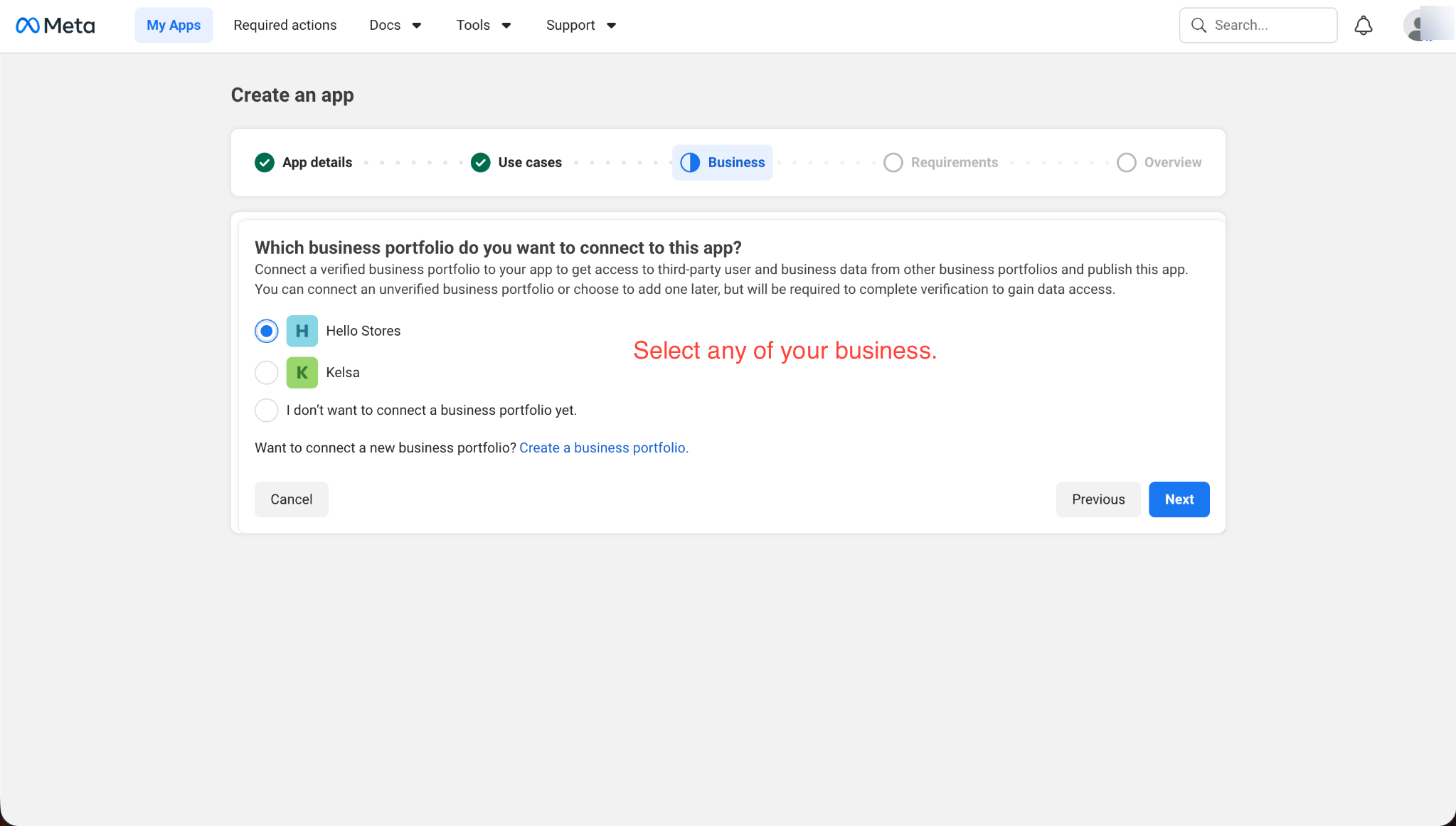
- On the next screen, confirm by clicking Next again.
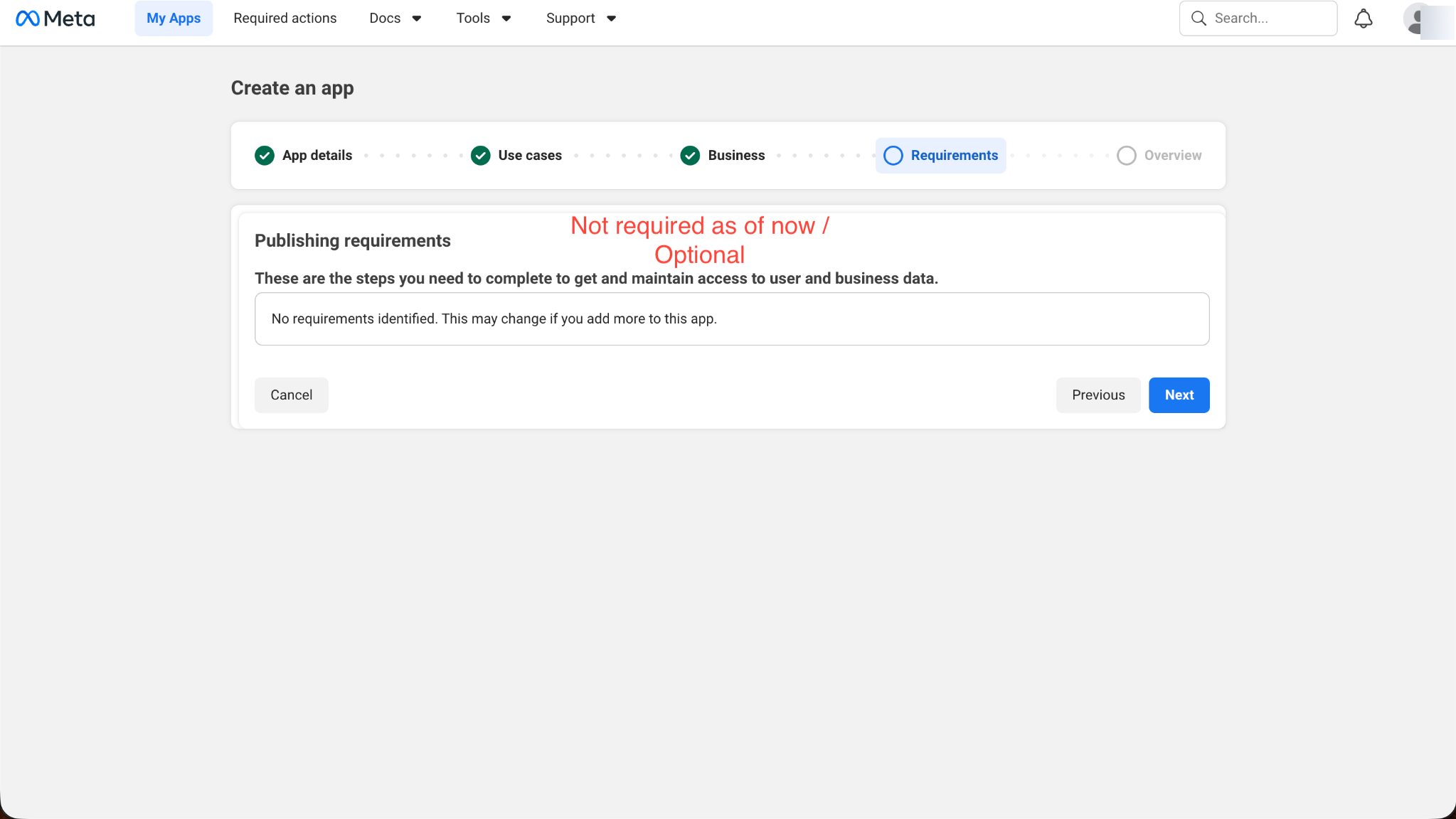
3. Add App Details
- Give your app a recognizable name (e.g., "Agent Elephant App").
- Ensure your contact email is correct.
- Click Create App.
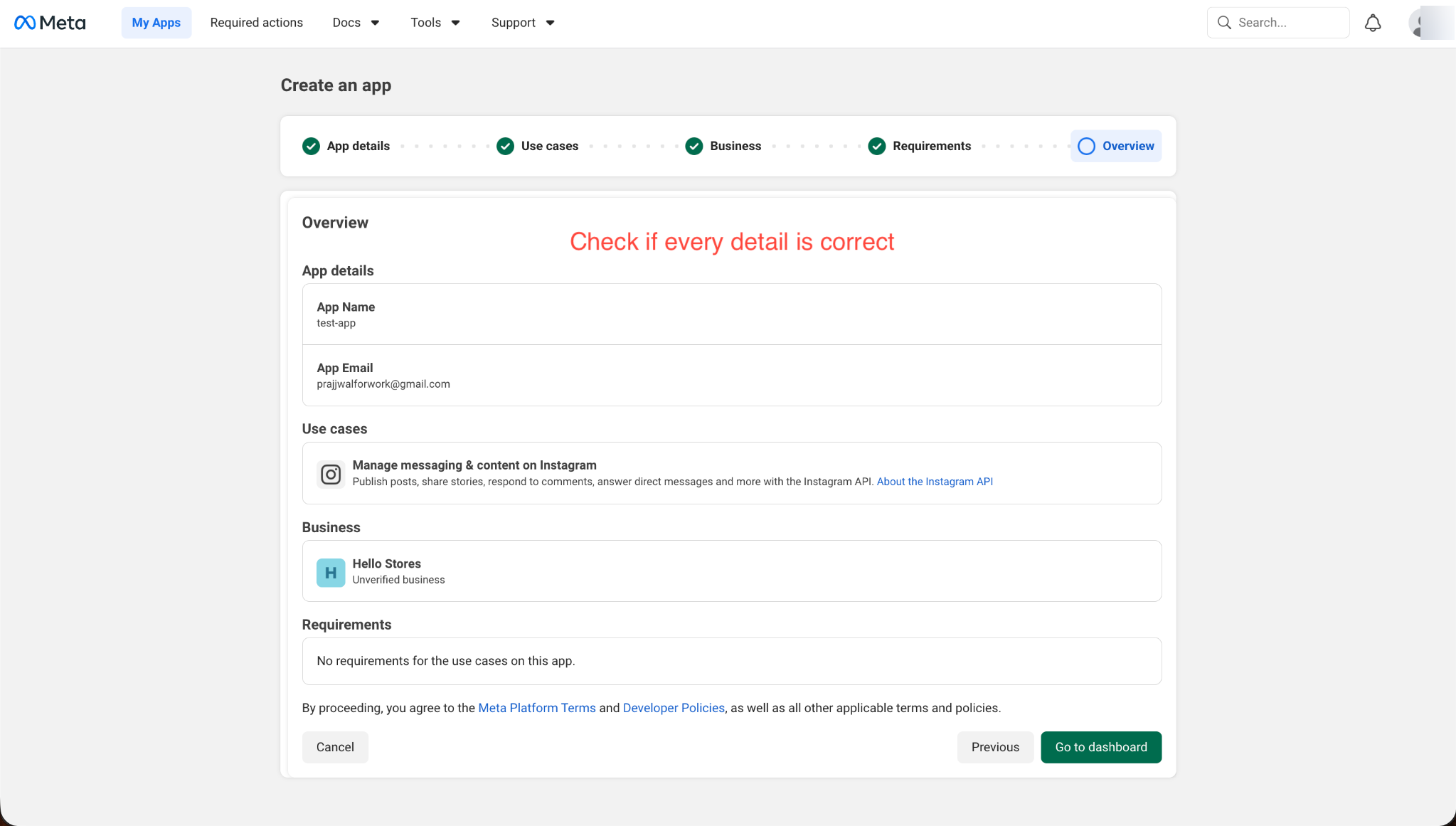
Configuring the App
Once your app is created, you will be dropped into the App Dashboard.
1. Set up Redirect URI
To ensure a secure login loop, you need to whitelist Agent Elephant's return address.
- In the left sidebar, click on API setup with Instagram login.
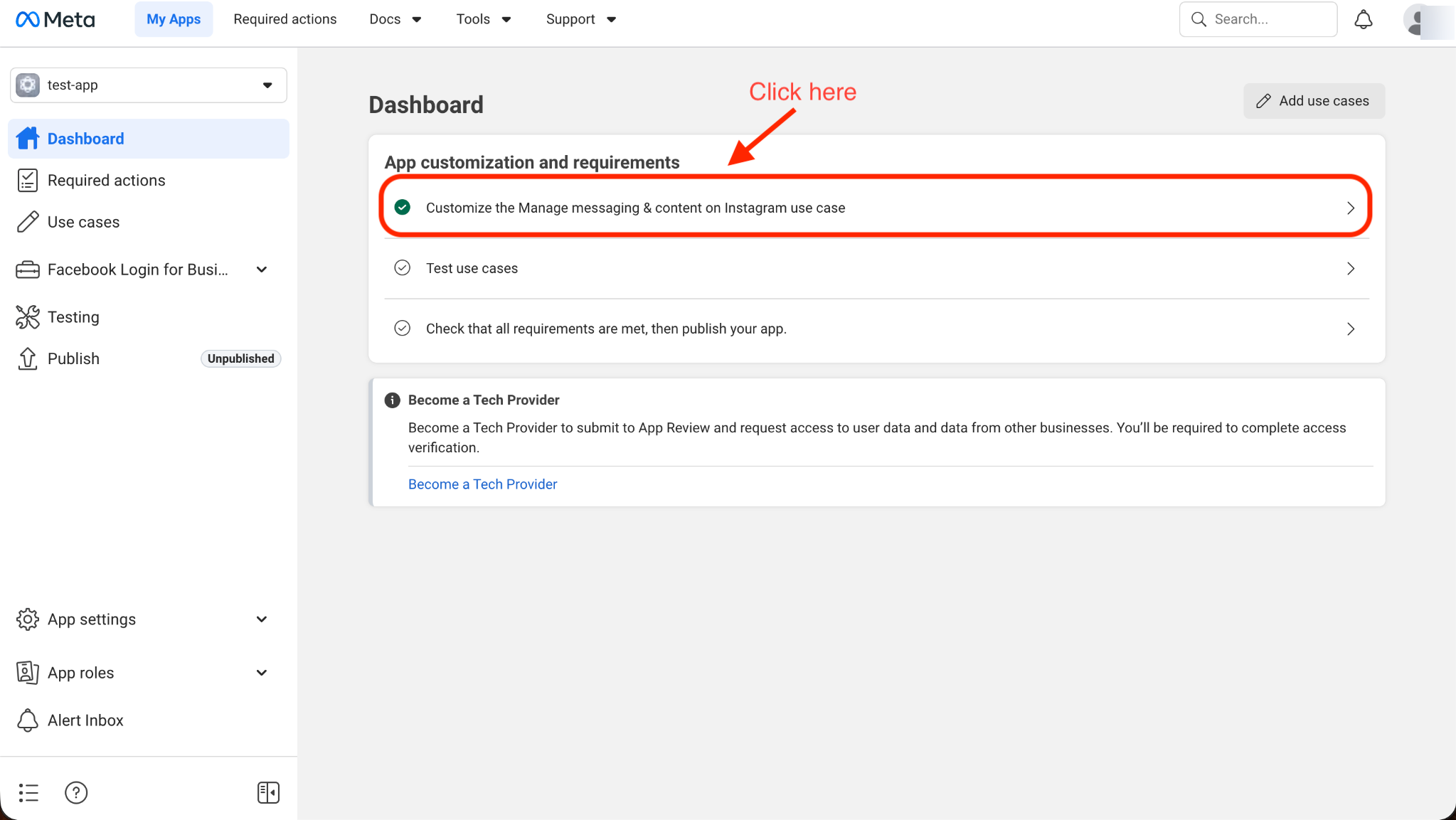
- Scroll down until you find the Valid OAuth Redirect URIs field and paste in your redirect URI.
Your Redirect URI:
- Production:
https://your-domain.com/api/settings/social/callback/instagram- Local development:
http://localhost:3000/api/settings/social/callback/instagram
- Click Save Changes.
2. Copy Your Credentials
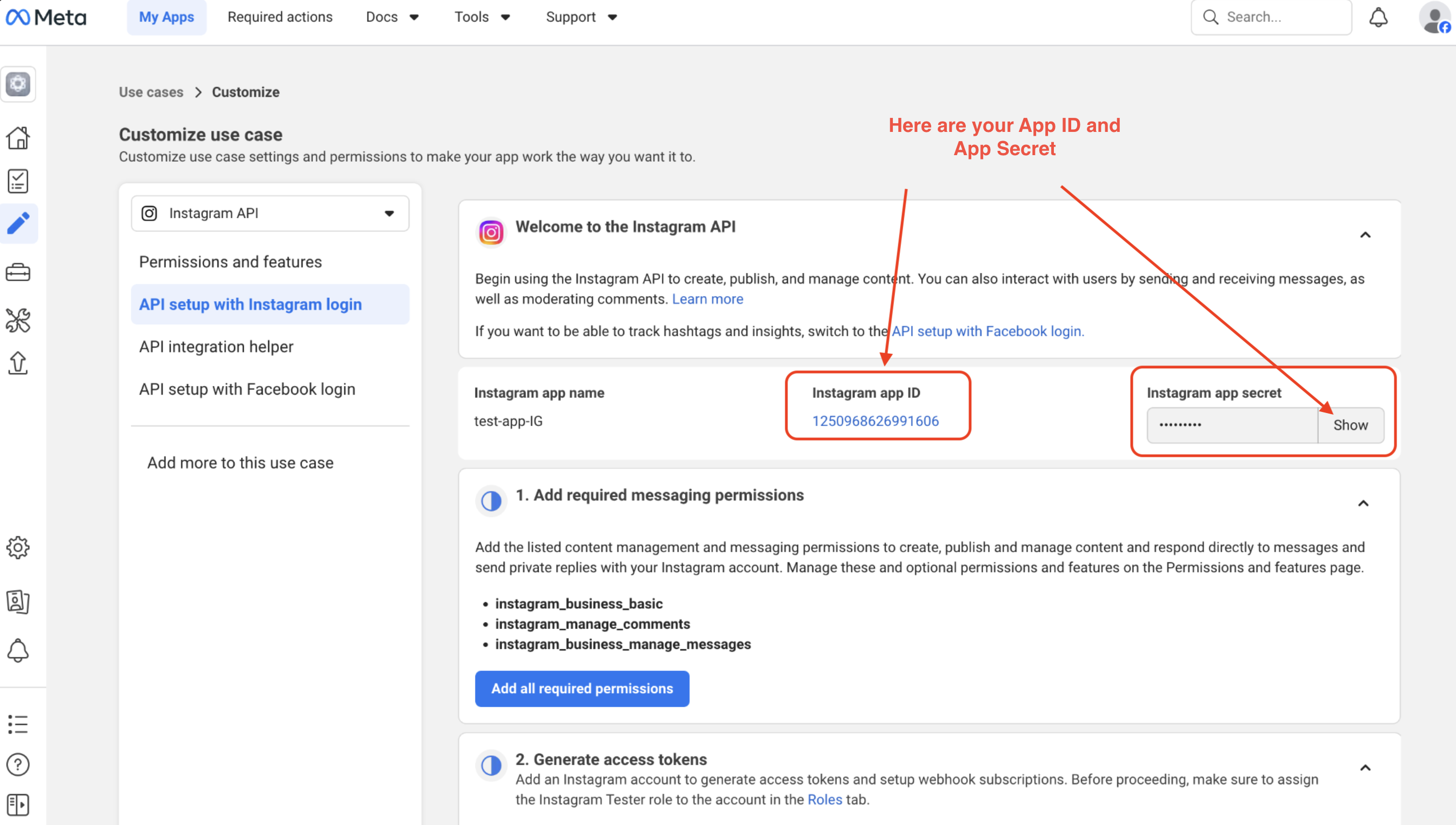
- On the same page, scroll up to see your Instagram app ID and Instagram app secret.
- Copy the App ID and click Show next to the App Secret to reveal and copy it.
Connecting in Agent Elephant
Now that you have your credentials, you can connect your account!
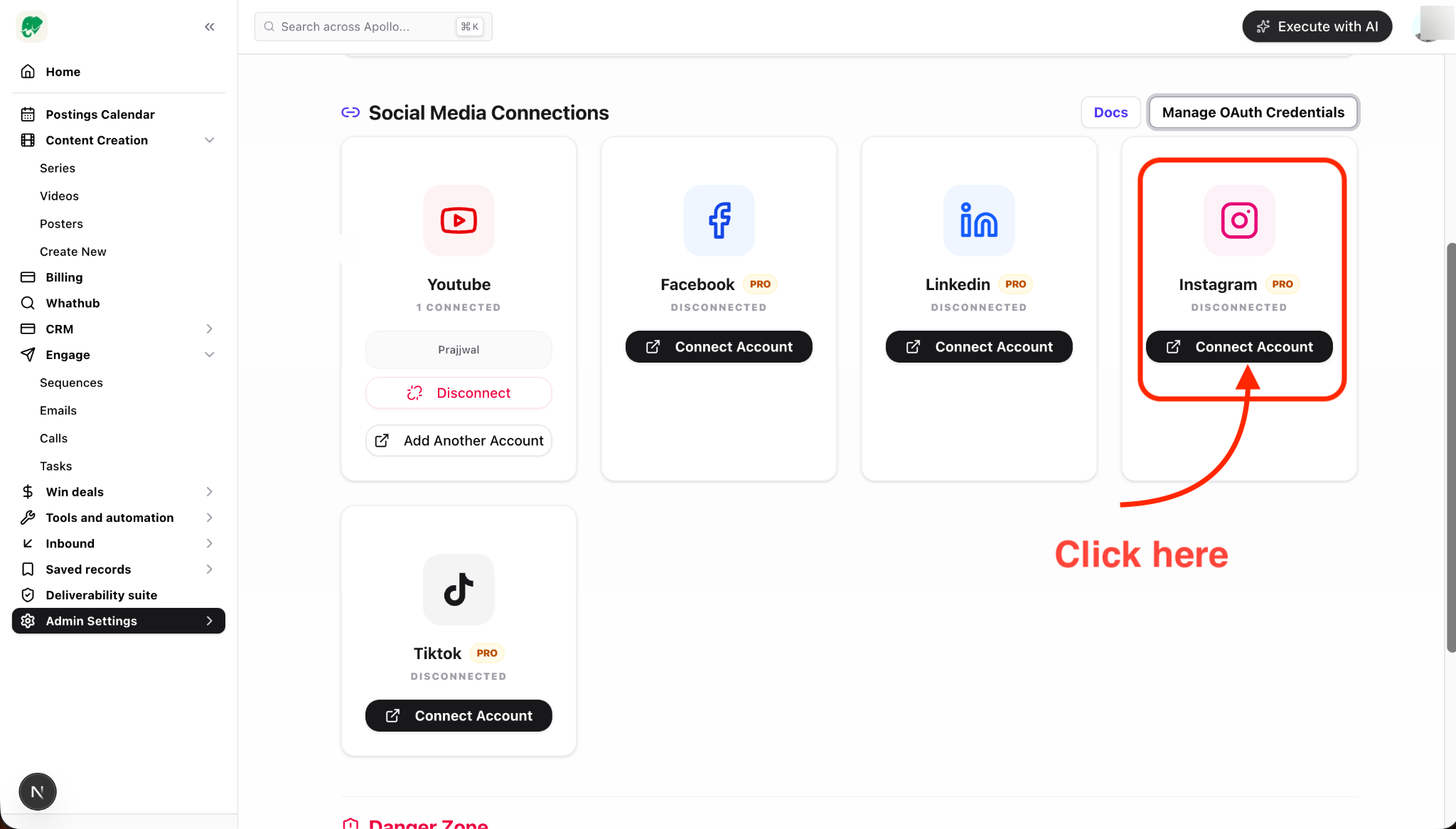
- Go back to Agent Elephant's Admin Settings.
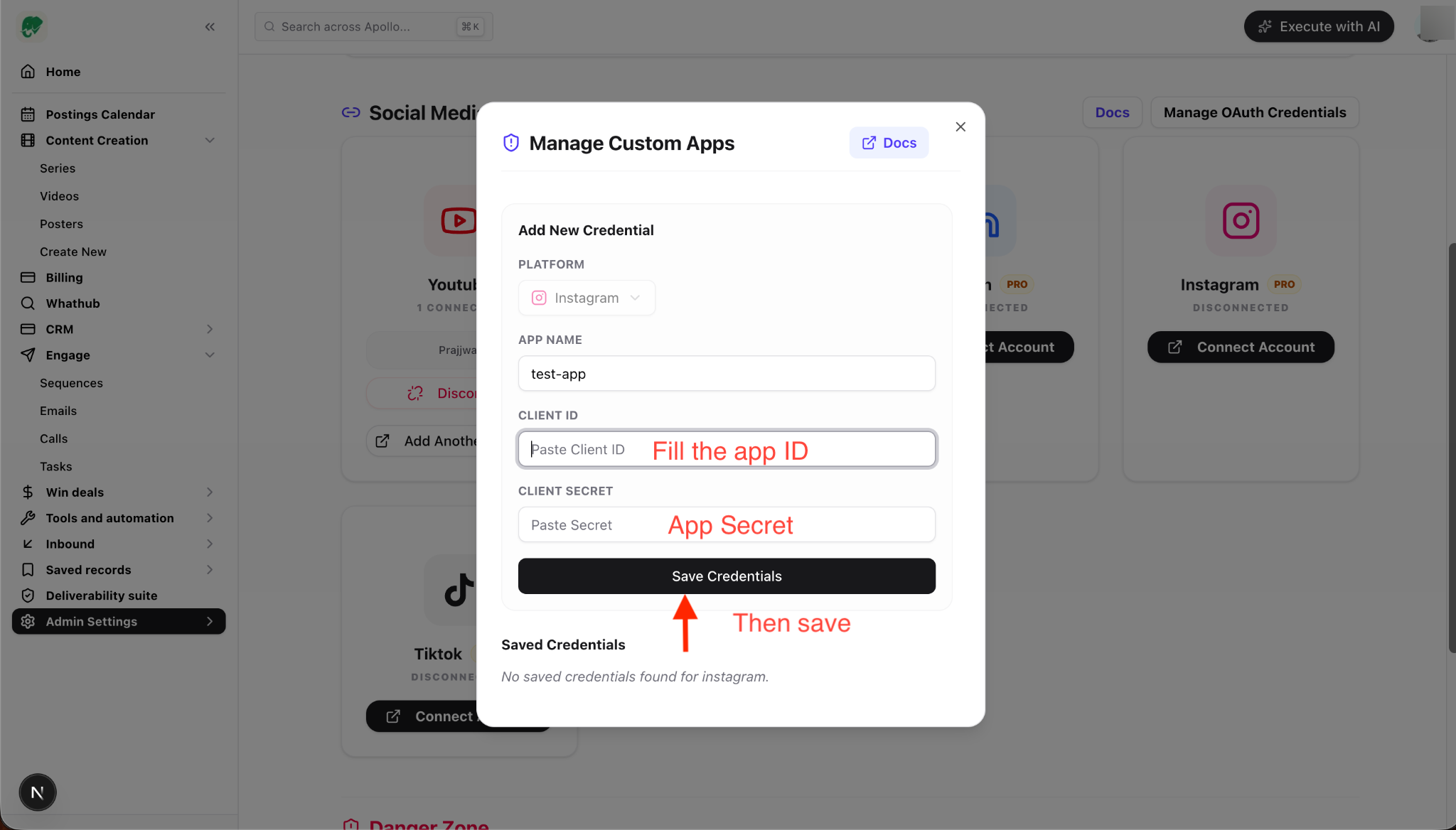
- Click the Manage Custom Apps button.
- Set the Platform dropdown to Instagram.
- Paste in the App ID and App Secret you just copied from Meta.
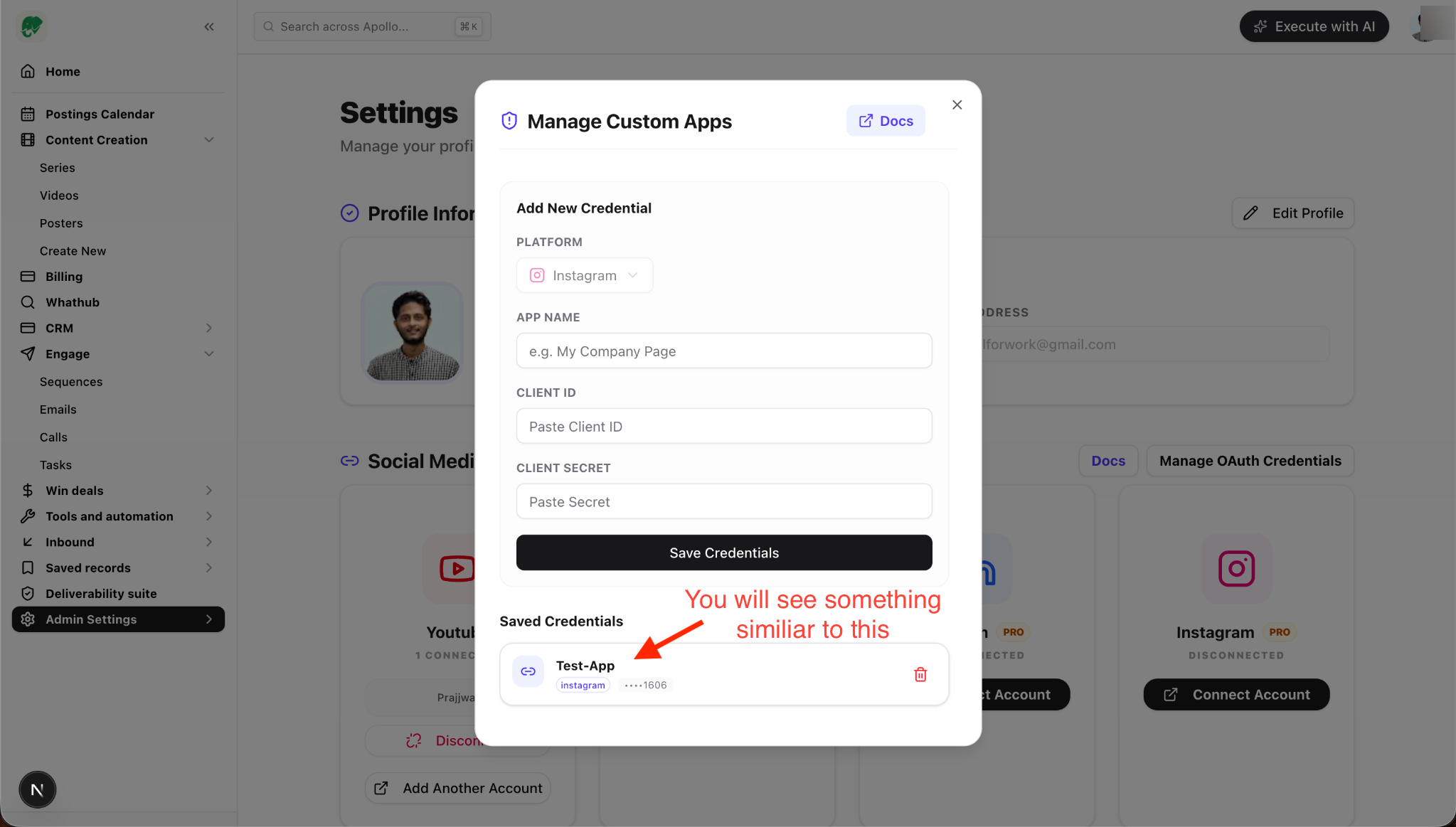
- Click Save Credentials.
- Finally, click the Connect button under the Instagram integration, select your new credential profile, and follow the permissions prompts window!

Instagram is now connected! 🎉